Events & Promotions
|
|

GMAT Club Daily Prep
Thank you for using the timer - this advanced tool can estimate your performance and suggest more practice questions. We have subscribed you to Daily Prep Questions via email.
Customized
for You
Track
Your Progress
Practice
Pays
Not interested in getting valuable practice questions and articles delivered to your email? No problem, unsubscribe here.
 Sep 13
12:30 AM EDT
-01:30 AM EDT
Struggling to find the right strategies to score a 99 %ile on GMAT Focus? Riya (GMAT 715) boosted her score by 100-points in just 15 days! Discover how the right mentorship, tailored strategies, and an unwavering mindset can transform your GMAT prep. Sep 13
01:30 AM EDT
-02:30 AM EDT
At one point, she believed GMAT wasn’t for her. After scoring 595, self-doubt crept in and she questioned her potential. But instead of quitting, she made the right strategic changes. The result? A remarkable comeback to 695. Check out how Saakshi did it. Sep 15
07:00 PM EDT
-09:00 PM EST
Elite scores are possible when you enroll in a powerful GMAT course, taught live online + 6 months access to TTP OnDemand video courses included! Class starts Tues/Thurs Sept. 15, 2026 - Nov. 15, 2027, 7:00pm-9:00pm EST Sep 18
08:00 PM PDT
-09:00 PM PDT
Video explanations + diagnosis of 10 weakest areas + 150+ short videos + study plan! Sep 21
07:00 PM EDT
-10:00 PM EDT
Boost your GMAT score in less than one month in a live online class + 6 months access to TTP OnDemand video courses included! Class starts Mon, Tues, Wed, Thur, Fri Sept. 21, 2026 - Oct. 9, 2027, 7:00pm-10:00pm EST

 31 Jan 2022, 14:38
Kudos
Bookmarks
How to Reschedule or Cancel Your GMAT Exam Appointment
No one wants to have to reschedule or cancel his or her GMAT exam, but from time to time, it may become necessary to do so. Many test-takers wonder whether rescheduling or canceling their GMAT appointments is possible.The good news is that GMAC provides the option either to reschedule or cancel your GMAT exam. Of course there are some regulations to follow and fees to pay.
So, what is the process of rescheduling the GMAT or canceling the GMAT? Let’s begin by talking about how to reschedule your GMAT exam.
How to Reschedule Your GMAT Exam in 8 Easy Steps
Rescheduling your GMAT is pretty easy. This process should take you no longer than 10 minutes. You can follow these 8 steps to reschedule your GMAT:- Log into your mba.com account
- Select the GMAT exam you wish to reschedule
- Choose a new GMAT appointment date
- Agree to GMAC’s policies
- Review your new GMAT appointment and confirm contact information
- Confirm your billing information
- Confirm your reschedule date and location
- Pay for your rescheduled GMAT
- Let’s cover these steps in detail.
Rescheduling the GMAT: Step by Step
Rescheduling your GMAT exam can be accomplished from your mba.com account. Just be sure to have your username and password available before logging in. Also, be sure to have a credit card or debit card available since there is a fee for rescheduling your GMAT.Step 1 – Log into your mba.com account
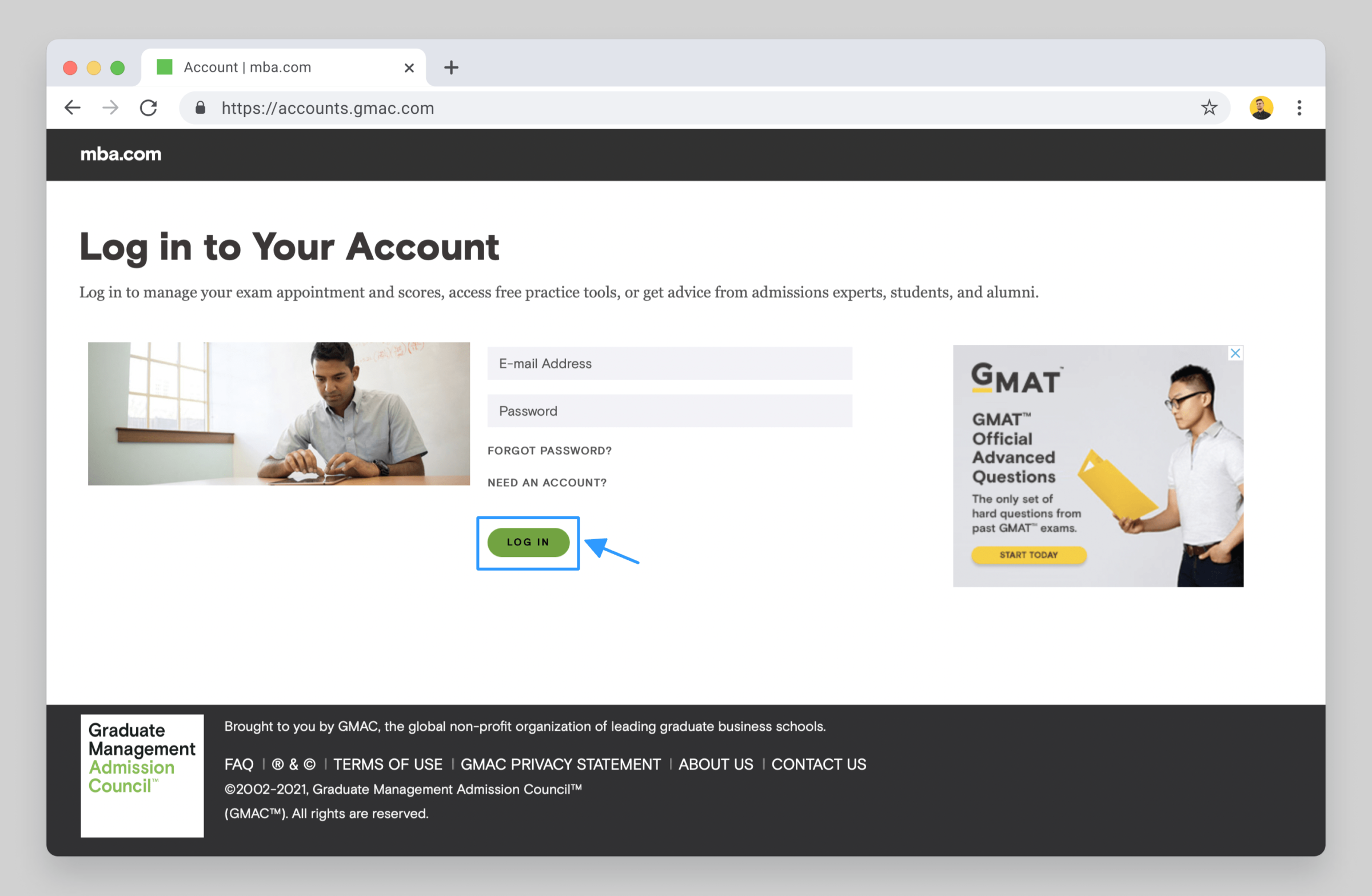
First, log in to your mba.com account. Of course, you will need to have your username and password ready.
Step 2 – Select the GMAT exam you wish to reschedule
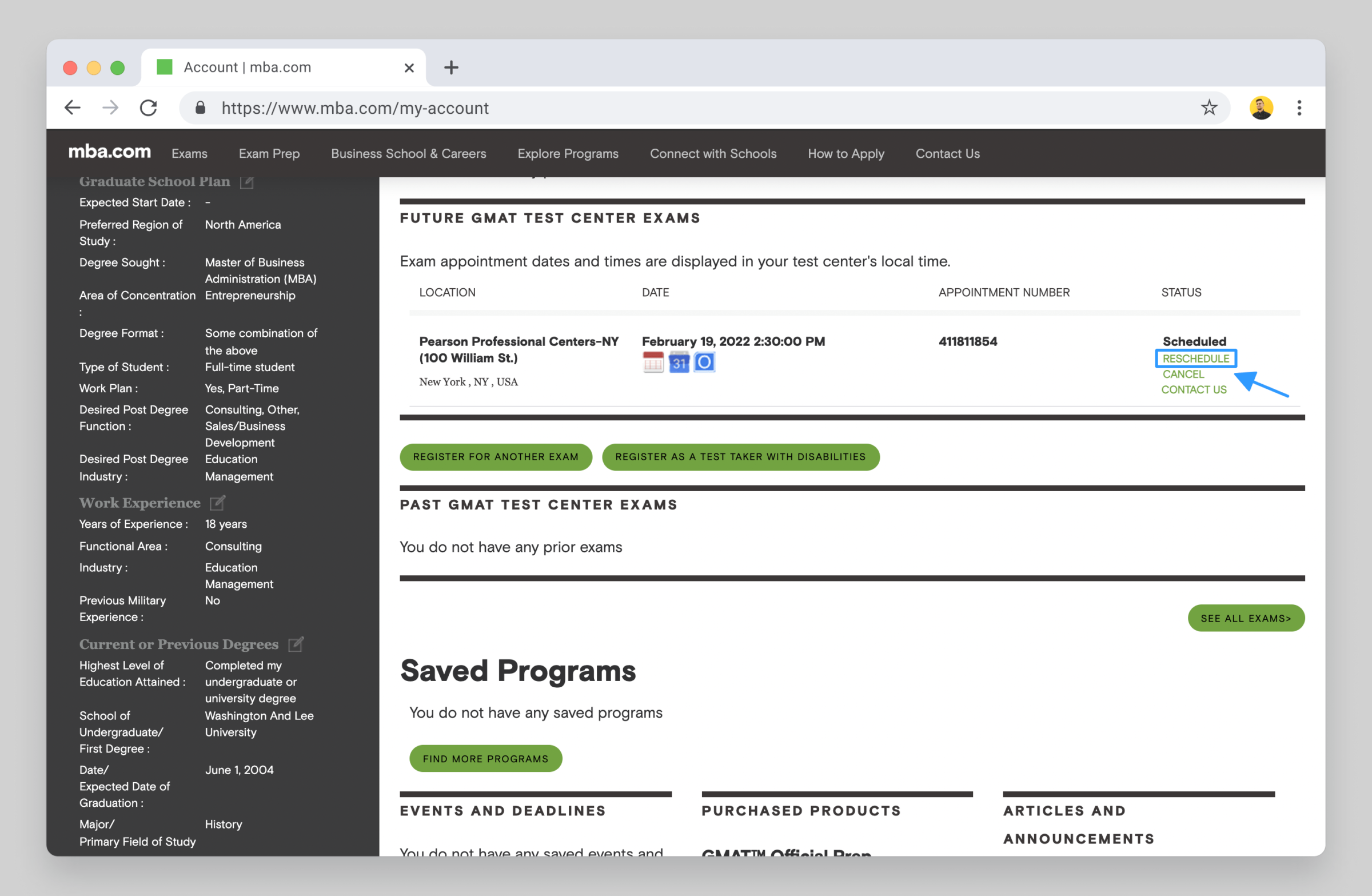
After logging in, go to the “My Account” section. Under the “exams” section, search for the GMAT exam appointment that you’d like to reschedule. Be careful here — there will be two options, RESCHEDULE or CANCEL, both of which are in green. Click on “RESCHEDULE.”
Step 3 – Choose a new GMAT appointment date
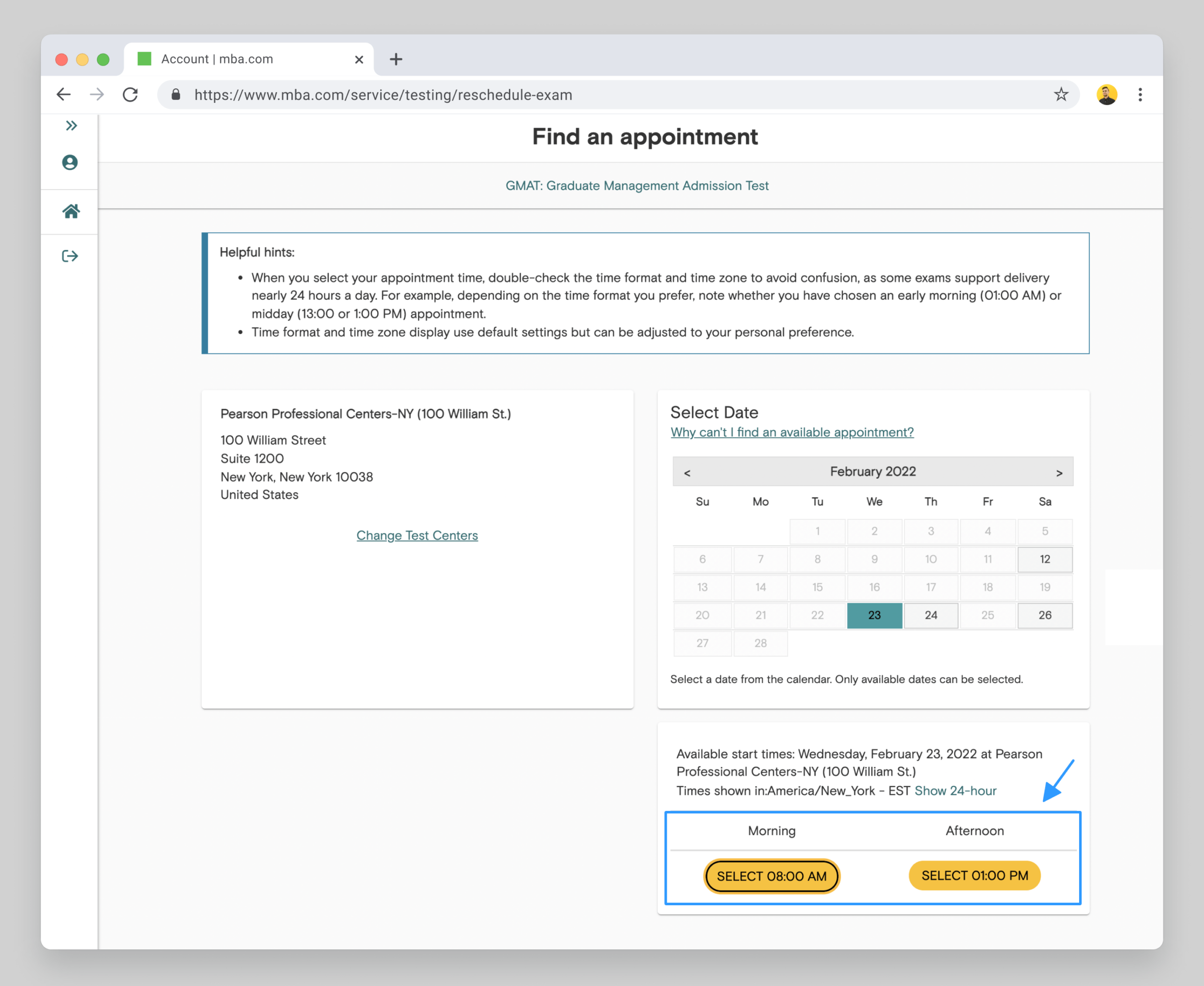
To read the full article, view my full article on Target Test Prep’s blog.

Moderator: