
Timed Sprints & When to Guess
Until now, we focused on building fundamentals and improving accuracy. This week, we start adding time pressure.
Add speed now: trust the accuracy you built
Global Resources
Your daily launcherOne tap to any tool the plan uses. Bookmark this page, and Error Log & Analytics next to it, for your daily habits.
Daily practice
Questions
Quiz 5 free/day
Timed sets with analytics. Weeks link exact presets. Unlimited with a subscription or with rewards points.
Question Banks FreeEvery question, tagged by topic and difficulty.
Quiz gives every member 5 free questions a day. Beyond that you need a subscription from $19.99/mo or 49 rewards points, which you earn just by doing timed practice here. Question Banks are free with no daily limit.
Tests & mocks
Weeks 3 · 6 · 9 · 11
GMAT Prep Mocks 2 free + 4 paid
The official exams. Scheduled at weeks 3, 6, 9, 11.
GMAT Club Tests 1 free testHarder-than-real quant & DI. Best in weeks 7-12.
Your first full GMAT Club Test is free. After that they come with a subscription, with rewards points, or free for everyone on public holidays. The GMAT Prep mocks above are separate and come from mba.com.
Earn as you learn
Auto-tracked · redeem anytimeTimed questions you record on GMAT Club count toward these: forum practice and preset quizzes. GMAT Club Tests practice does not count. Reach a milestone and the reward unlocks automatically.
Counted automatically from your GMAT Club timer history. Questions need a submitted answer and a real attempt to count. Prefer the long game? 49 rewards points still buys the full Quiz subscription.
Community
Study together
GMAT Club on YouTube Free
Lessons and live sessions; many are linked inside the weeks. New lectures drop regularly, so subscribe and YouTube notifies you.
Subscribe This week's discussion thread ForumPost your weekly update, ask about questions, and compare notes with everyone on the same week.
Suggestions & feedback Help us improveBroken link, better video, clearer wording? Post it and it ships in a weekly update, with credit.
Live chat rooms · pick one, not all of them
Study Buddy Chat
Find someone on your timeline. A partner two weeks ahead of you is worth more than three rooms you skim.
GMAT Questions ChatStuck on a specific question? Post it here rather than sitting on it for twenty minutes.
General GMAT chat ChatEverything else: timelines, score goals, what to do when a week goes badly.
GMAT Test Takers on WhatsApp FreeThe same conversations on your phone, if you would rather not keep a browser tab open.
Joining chat earns a rewards point every 3 days, so this counts toward unlocking the Quiz.
Study Plan chat group · pick yours by test date
Jan / FebTest window
Mar / AprTest window
May / JunTest window
Jul / AugTest window
Sep / OctTest window
Nov / DecTest window
Set your goal & test date in the sidebar and we highlight your group automatically. Each group lives on GMAT Club Chat and WhatsApp; they mirror each other.
Recommended books
Print or eBook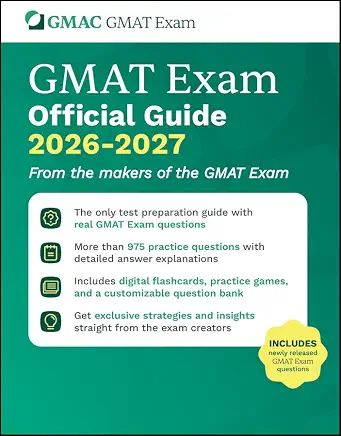 GMAT Official Guide Bundle Official
All 4 guides: main OG plus Quant, Verbal & Data Insights Reviews. Real retired questions with a 12-month online question bank.
Print bundle · Amazon eBook · mba.com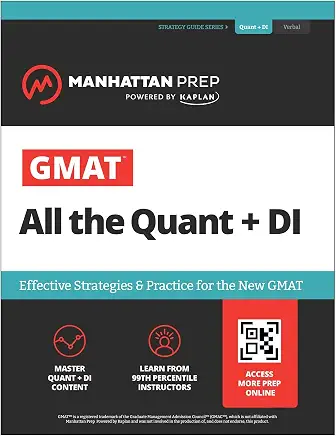 All the Quant + DI Amazon
Manhattan Prep. The quant & DI backbone, weeks 1-8.
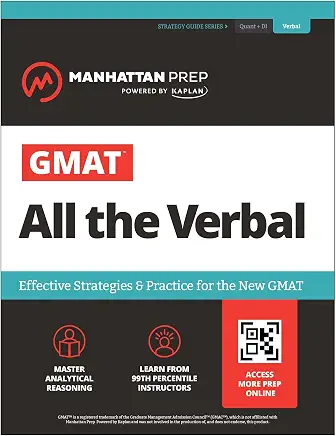 All the Verbal Amazon
Manhattan Prep. CR and RC chapters throughout.
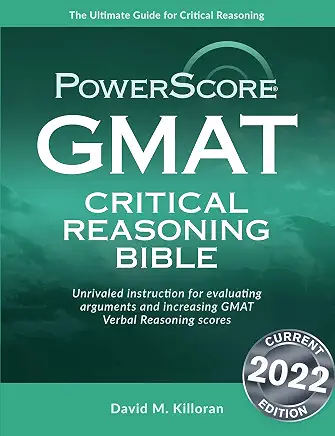 PowerScore CR Bible Amazon
The deep CR alternative. Pick this or All the Verbal.
Buy the Official Guide new, not used. Each copy ships with a single-use code for the online question bank, and used copies usually arrive with that code already redeemed. Manhattan and PowerScore books are fine to buy used.
My notes
All weeks, one place
Private to you, saved on this device with your progress. In the full version this becomes its own page, synced to your account.
Error Log & Analytics
Tracking system · every weekThe same tracking system runs across all 12 weeks: log every miss, review the pattern, redo it. Two tools, one daily habit.
Minimum fields to track
Use the built-in error log tracker above, the Analytics portal, or a customized Excel/Google Sheets spreadsheet, whichever you'll actually keep up with.
- Topic:
fractions, ratios, percent, CR conclusion, etc.
- Error type:
concept gap / setup error / calculation slip / rushed reading.
- Trigger:
what in the prompt pulled you off track.
- Fix:
one-sentence rule you will apply next time.
Redo rule
Redo rule: redo every missed question after a fixed frequency (recommended: after each week) without looking at the solution.
Analytics: what to check before wrap-up
- Accuracy by topic: which sub-skills are still under 80%.
- Timing by topic: where you're consistently over 2 min/question.
- The trend across your last few sessions, not just one bad day.
Week 10 Overview & Time Estimate
Week OverviewHow did you do on your third Official Mock?
This mock should now give you a better idea of how much more time you may need before your final test.
Rough estimate:
Rough estimate
| Target Score vs Current Score | Estimated time |
| Already near your target score | You can think about taking the test within 2 weeks |
| Within 50 points of target | Give yourself 3 to 4 weeks to clean up weak areas |
| Within 75 points of target | You may need 5 to 6 more weeks |
| Around 100+ points away | You may need 7 to 8 more weeks to revise fundamentals and then build execution speed |
Treat this not as a strict rule, but as a general estimate of the time you might need to improve.
Until now, we focused on building fundamentals and improving accuracy. This week, we start adding time pressure. Knowing how to solve is one thing. Solving under time, with pressure, with the next question waiting, is a different game.
Weekly time budget: 20 to 30 hours total
What to keep in mind this week
- You have roughly 2 minutes per question, but not every question deserves exactly 2 minutes
- Save time on easier questions so you can spend it where it actually matters
- Don’t sit on one tough question forever and then lose 4 easier ones later
- Use answer choices, elimination, plugging numbers, estimation, dropdowns, sorting, and every tool available
- Don’t keep staring at the clock after every question, it only adds panic
- Timing improves only when you practice it repeatedly, it won’t magically appear on test day
The Big Skill This Week: When to Guess
StrategyLet’s tackle the elephant in the room.
One of the biggest skills in GMAT is knowing when to move on. You don’t get extra marks for solving one difficult question in 10 minutes. In fact, you usually end up paying for it later when you rush through easier questions.
A good rule to practice:
If you have spent around 1 minute and are still nowhere close to understanding the question, it is probably time to make an educated guess and move on.
If you have spent around 1 minute and are still nowhere close to understanding the question, it is probably time to make an educated guess and move on.
This does not mean you randomly give up. It means you ask yourself
- Do I understand what the question is asking?
- Do I have a clear approach?
- Am I making real progress?
- Can I solve this within another minute?
- Do I have enough time left in the section to afford that extra minute?
If the answer is mostly no, guess and move.
Also, don’t guess blindly if you can avoid it. Try to eliminate obvious wrong choices first. Even removing one or two bad options improves your chances considerably.
Do not check the clock after every question. Check it at three points only: after question 5, after question 10, and after question 15. Anything more often and you are spending attention on the timer instead of the question.
The grid below is the same for all three sections. Quant and Data Insights run slightly tighter at the end than Verbal does, so on those two aim to be a minute ahead of these numbers rather than exactly on them.
Pacing checkpoints
| When you finish | Clock should read about | If it reads less |
| Question 5 | 35 minutes left | You are already behind. Cap the next three questions at 2 minutes each |
| Question 10 | 25 minutes left | Guess and move on the next question you do not understand within 30 seconds |
| Question 15 | 15 minutes left | Switch to triage: answer what you can read quickly, bookmark the rest |
Never spend more than 3 minutes on one question.
Unless it is the last question in the section, there is no version of this that ends well. You are not buying one right answer, you are borrowing the time for the next two questions and paying interest.
Unless it is the last question in the section, there is no version of this that ends well. You are not buying one right answer, you are borrowing the time for the next two questions and paying interest.
And never leave a question unanswered.
On the Focus, a blank costs you far more than a wrong answer. If the section is about to end and you have three questions untouched, click something on all three. Random beats blank, every single time.
Build the habit now: in every timed sprint this week, finish with zero blanks even if that means guessing the last two.
On the Focus, a blank costs you far more than a wrong answer. If the section is about to end and you have three questions untouched, click something on all three. Random beats blank, every single time.
Build the habit now: in every timed sprint this week, finish with zero blanks even if that means guessing the last two.
One small exercise:
Start a timer, close your eyes, and open them when you feel 1 minute has passed.
Do this a few times. It sounds silly, but it helps you build a rough internal clock. Over time, you should become more aware of whether you are spending too much time on a question without checking the timer every 10 seconds like it owes you money.
Start a timer, close your eyes, and open them when you feel 1 minute has passed.
Do this a few times. It sounds silly, but it helps you build a rough internal clock. Over time, you should become more aware of whether you are spending too much time on a question without checking the timer every 10 seconds like it owes you money.
Important note: Don’t try some new heroic timing strategy directly on test day. Practice it here first.
Time Management Resources
ResourcesCore Reads
Videos
Click to watch inlineHow to Practice This Week
Practice TrackThis week is mostly about timed mixed practice.
We will use official questions first. If you exhaust those, then move to popular questions from other sources.
Practice format: 10 questions in 20 minutes.
That’s one sprint.
Do this across Quant, Verbal, and DI.
That’s one sprint.
Do this across Quant, Verbal, and DI.
If you are practicing on GMAT Club
Set a 20-minute timer
Pick 10 previously unanswered official questions
Attempt them without pausing
If stuck, make an educated guess and move on
After the sprint ends, go back, attempt the questions you skipped and then review all of them properly
If you are practicing through official GMAC website, you can also use quiz mode and select easy/medium difficulty questions.
Target this week
- Quant: 7 to 10 sprints
- Verbal: 7 to 10 sprints
- DI: 7 to 10 sprints
That gives you roughly 70 to 100 timed questions per section.
Do not chase volume blindly. If review quality is dropping, reduce the number of sets.
How to Review Each Sprint
ReviewAfter each timed sprint, don’t immediately jump to the expert solution. First, go back to the questions you guessed or could not solve properly and try them untimed. And then review.
Ask yourself
- Did I genuinely not know the concept?
- Did I know the approach but got carried away by the clock?
- Did I need extra time just to recall a formula or method?
- Did I take too long because my approach was inefficient?
- Did I miss a shortcut or easier setup?
- Did I panic after one difficult question?
- Did I reread too much in Verbal or DI?
- Did the data feel overwhelming?
- Did I make a careless mistake because I was rushing?
This is the real work this week. The timed set gives you the symptom. The review tells you the disease.
Section-Wise Focus
Focus AreasQuant · Focus on
- Saving time on easy questions
- Avoiding long algebra when plugging or estimation works
- Recognizing when a question is setup-heavy vs calculation-heavy
- Making educated guesses when the path is not clear
Verbal · Focus on
- Not rereading arguments or passages unnecessarily
- Eliminating answer choices faster
- Avoiding emotional attachment to tempting answers
- Guessing when stuck between options instead of burning 4 minutes
DI · Focus on
- Read the question before trying to make sense of the data
- Using dropdowns, sorting, and tables smartly
- Not overusing the calculator
- Avoiding time traps in MSR and TPA
- Moving on when the setup becomes too dense
Error Log
Error LogThis week, your error log should track timing behavior very carefully.
Add any missing columns
- Time taken
- Guessed or not
- Educated guess or random guess
- Reason for guessing
- Concept issue / timing issue / careless mistake / inefficient approach
- Could solve untimed later? Yes or No
- Better approach after review
Also track
- Questions you got right but took too long
- Questions you guessed correctly but did not really understand
- Questions you missed because of panic
- Questions where expert solution was much cleaner than yours
At this stage, wrong answers are not the only problem. Slow correct answers are also important to study.
Group Discussion Guidelines
CommunityPost your stats, get a progress check
Need feedback, not sure whether you're ready to move on, or just stuck? Post these stats in your study group and a Moderator will give you an evaluation of your progress.
Reading sources & Time spent:

Quant timed sprints completed:
Quant accuracy:
Main timing issue:

Verbal timed sprints completed:
Verbal accuracy:
Main timing issue:

DI timed sprints completed:
DI accuracy:
Main timing issue:

One question where I guessed:
One question where I spent too much time:
One thing I’ll fix next week:
What’s Coming Next Week
PreviewWhat’s Coming Next Week
Harder mixed practice.
Next week, we’ll start increasing difficulty and working more on medium-hard and hard questions.