Events & Promotions
|
|

GMAT Club Daily Prep
Thank you for using the timer - this advanced tool can estimate your performance and suggest more practice questions. We have subscribed you to Daily Prep Questions via email.
Customized
for You
Track
Your Progress
Practice
Pays
Not interested in getting valuable practice questions and articles delivered to your email? No problem, unsubscribe here.
 Sep 02
01:00 PM EDT
-11:59 PM EDT
Take 30% off all study plans with code COURSEWORK - Expires on Monday 9/7 Sep 04
10:00 AM EDT
-11:59 PM EDT
We’ve worked incredibly hard to build TTP into the best test prep experience possible, and it would mean a lot to us to win Newsweek’s 2026 Readers’ Choice Award for Best Test Prep. If TTP has helped you, we’d be incredibly grateful for your vote. Sep 07
12:01 AM PDT
-11:59 PM PDT
On the 7th, GMAT Club Tests will be Free! Including all the Quizzes, Questions, and Tests. 12 AM - 11:59 PM PDT- Sep 07
10:00 AM PDT
-11:00 AM PDT
A complete walkthrough of GMAT Club’s free 12-week GMAT study plan: what you study each week, how progress and goals are tracked, how the error log works, and how your practice unlocks paid tools at no cost. - Sep 09
07:00 AM PDT
-10:00 AM PDT
Meet AdComs and explore top Master’s programs - MiM, MiF, MSc, MSBA and more. - Application Fee Waivers - Free 1-Week of GMAT Club Tests: - Master's Application Toolkit - Grand Prize Giveaway - Sep 09
10:00 AM PDT
-11:00 AM PDT
Three MBA applications. Three rejections. No interview invites. A year later, Aman was admitted to Cambridge Judge, SMU, and IMD. In this episode of MBA Admit Stories, Aman shares how he rebuilt his MBA application...  Sep 15
07:00 PM EDT
-09:00 PM EST
Elite scores are possible when you enroll in a powerful GMAT course, taught live online + 6 months access to TTP OnDemand video courses included! Class starts Tues/Thurs Sept. 15, 2026 - Nov. 15, 2027, 7:00pm-9:00pm EST Sep 21
08:00 PM EDT
-10:00 PM EDT
Boost your GMAT score in less than one month in a live online class + 6 months access to TTP OnDemand video courses included! Class starts Mon, Tues, Wed, Thur, Fri Sept. 21, 2026 - Oct. 9, 2027, 7:00pm-10:00pm EST

BillyZ

Current Student
Joined: 14 Nov 2016
Last visit: 06 Jun 2026
Posts: 1,134
Given Kudos: 926
Location: Malaysia
Concentration: General Management, Strategy
Schools: Sloan '23 (D) Tuck '23 (D) Darden '23 (D) Ross '23 (D) Kellogg '23 (D) Wharton '23 (D) Booth '23 (D) Fuqua '24 (A) Harvard '24 (D) Stanford '24 (D)
GMAT 1: 750 Q51 V40 (Online)
GPA: 3.53
Products:
Schools: Sloan '23 (D) Tuck '23 (D) Darden '23 (D) Ross '23 (D) Kellogg '23 (D) Wharton '23 (D) Booth '23 (D) Fuqua '24 (A) Harvard '24 (D) Stanford '24 (D)
GMAT 1: 750 Q51 V40 (Online)
Posts: 1,134
GMAT Test is changing on April 16, 2018 - it will be shortened by 30 minutes
- Number of questions on the test will be reduced:
- The number of Quant questions will be reduced by 6: from 37 to 31
- The number of Verbal questions will be reduced by 5: from 41 to 36
Update: distribution of questions in GMAT Prep will be:
(thanks AjiteshArun for sharing this)
(a) RC: 13-14 (4 passages)
(b) SC: 12-13
(c) CR: 9-10
(d) PS: 17-18
(e) DS: 13-14
GMAC is being careful not to say that this is the distribution for the GMAT itself as exam requirements could change over time (that is, the distribution of experimental questions can change).
!April 30th Update:
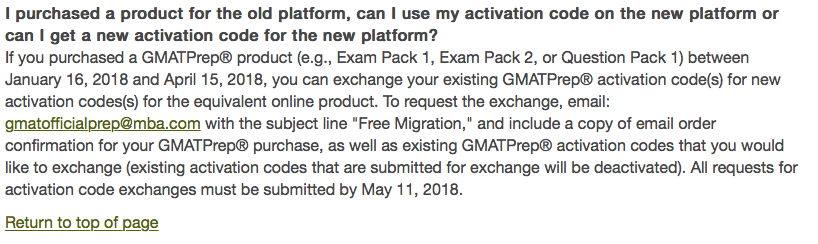
GMAT Prep Downloadable Software is NOT being updated to the latest format. Instead, it is being discontinued
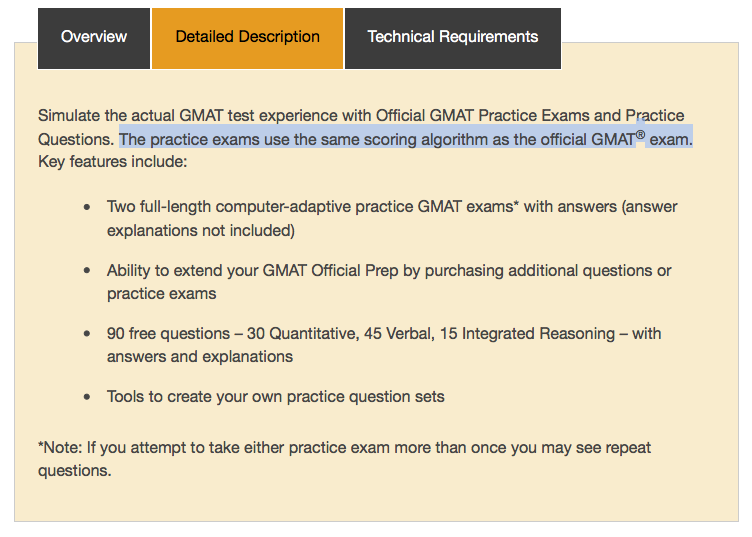
EP1, EP2, and QP1 are not being updated to the latest format. Instead, GMAC is exchange them for online licenses through May 11thList of Tests that have been updated for the new format:
1. Veritas Prep CAT's - as of April 12th - You get 1 free CAT; 7 total
2. GMAT Club CAT's - as of April 13th - You get 1 free CAT; 20+ total
3. MGMAT CAT's - as of April 16th - You get 1 free CAT; 6 totalReports from Tests Taken after April 16:
1. April 16: https://gmatclub.com/forum/gmat-is-chan ... l#p2047053
2. April 17: https://gmatclub.com/forum/gmat-is-chan ... l#p2047190
3. April 18: https://gmatclub.com/forum/gmat-is-chan ... l#p2048083 - This includes a 23-minute reduction in the exam sections, as well as 7 minute reduction across several non-exam screens at the test center (e.g. Tutorial, Section Instructions).
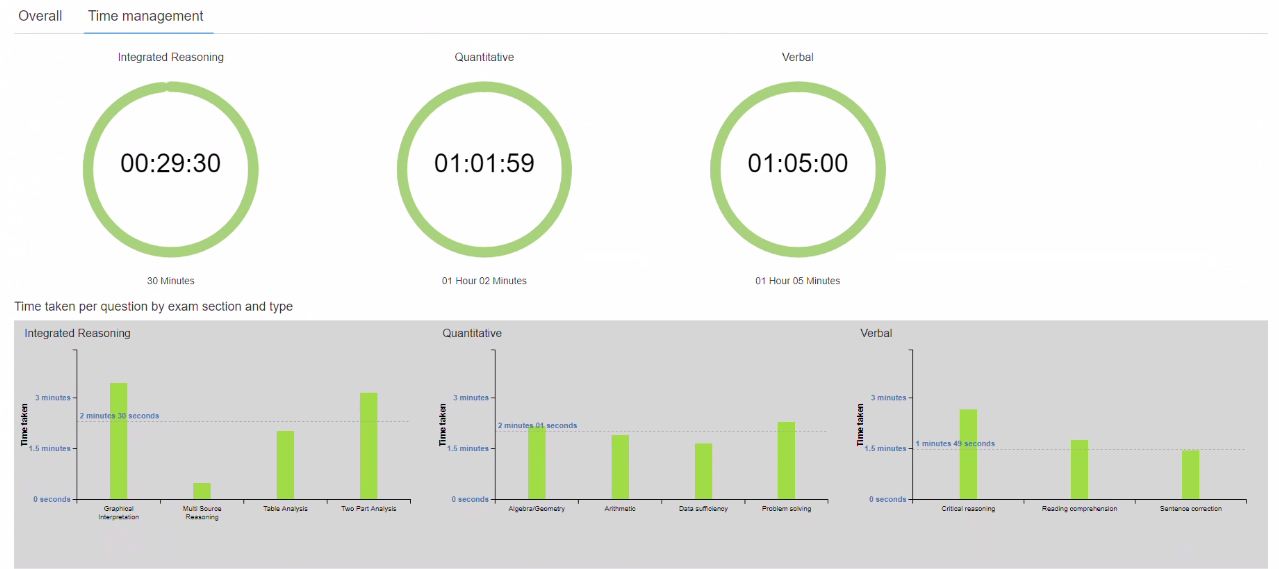
- The time per question will be approximately the same. While GMAC says it will remain unchanged, we have calculated it to be 1.62 seconds shorter for quant and 1.42 seconds shorter for verbal:
Quant
earlier 75x60/37 = 121.62
now 62x60/31 = 120 seconds
Verbal
earlier 75/41 = 109.75 seconds
now 65x60/36 = 108.33 seconds
so 1.42 seconds less per question in verbal - The reduction in questions comes from reduction of experimental questions.
- No Changes to IR or AWA section
- There are some changes to the on-screen instructions that further reduce time used for the test
- Reschedule exception for 1 week: If you already have scheduled your tests, you can reschedule an appointment but only if it is before May 6th. You have to do it by April 11th. Not sure why limitations but I guess better than nothing
- GMAT Prep software should be released by April 30th (along with updated Exam Packs)
- More FAQ's are here: https://www.mba.com/global/frequently-asked-questions/shorter-gmat-exam.aspx
The Big Unknowns:
- Date of GMAT Prep release - sounds like it is only by April 30th, but hopefully sooner so we can practice
- Question structure of the RC's. We don't know if we will be losing one passage, or if passages will have fewer questions.
Attachments
M02.jpg [ 141.46 KiB | Viewed 217577 times ]
GMAT E.jpg [ 129.69 KiB | Viewed 247416 times ]

mcelroytutoring
Expert
Tutor
Joined: 10 Jul 2015
Last visit: 20 Aug 2026
Posts: 1,206
Own Kudos:
Given Kudos: 282
Status:Expert GMAT, GRE, and LSAT Tutor / Coach
Affiliations: Harvard University, A.B. with honors in Government, 2002
Location: United States (CO)
Age: 46 (11 years and counting on GMAT Club!)
GMAT 1: 770 Q47 V48
GMAT 2: 730 Q44 V47
GMAT 3: 750 Q50 V42
GMAT 4: 730 Q48 V42 (Online)
GRE 1: Q168 V169
GRE 2: Q170 V170
Expert reply
 30 Apr 2018, 08:58
Kudos
Bookmarks
sharan05
Hi sharan05,
Thanks for sharing the news. As a person who bought both of the paid Exam Packs and Question Pack 1 immediately after their release, I'm not sure why I would pay $120 all over again, for access to all the exact same questions that I already have access to on the old desktop software, just because the test is now a bit shorter.
Best of all, with the desktop software I don't even need an internet connection! Oh GMAC...
 This policy is also sure to have repercussions in areas of the world that lack reliable internet access.
 -Brian
 30 Apr 2018, 10:38
Kudos
Bookmarks
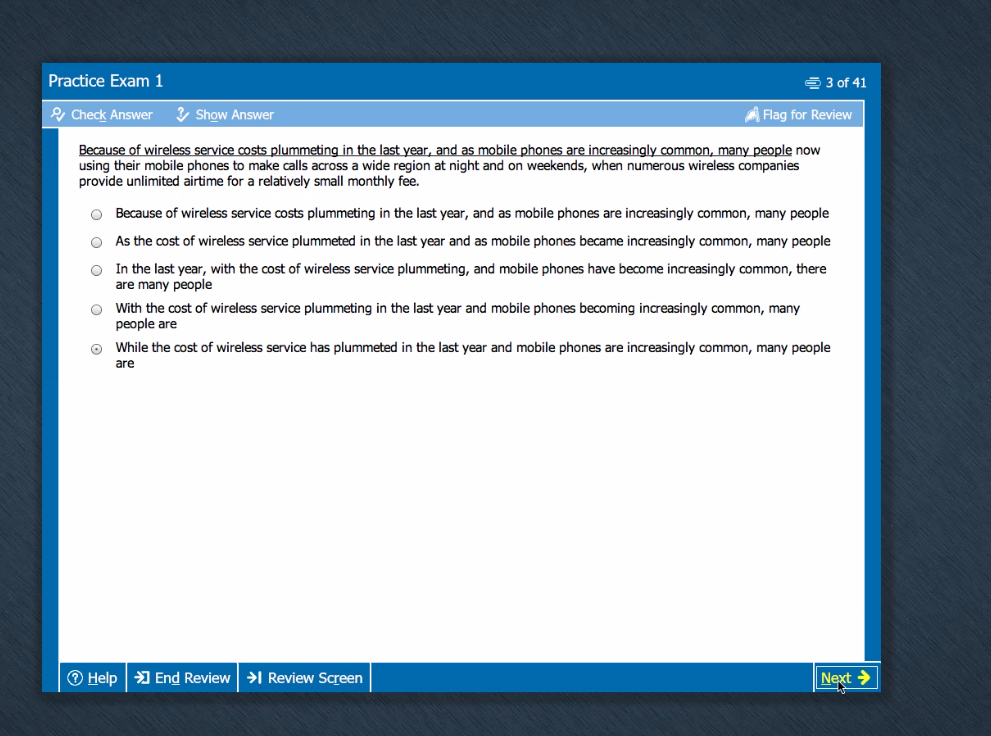
The online version doesn't work. I click on start button,but there's no reaction. Is there anyone facing similar problem?
Attachments
Untitled.png [ 16.09 KiB | Viewed 4503 times ]